
Introduction
The internet feels like magic, but it is just a system of connected computers exchanging information.
Step 1: Typing a Website
When you type something like:
www.google.com
Your browser starts looking for it.
Step 2: DNS (Domain Name System)
Computers do not understand names like google.com. They understand IP addresses like:
172.217.164.110
DNS acts like a phonebook:
- You type a name
- It finds the correct number (IP address)
Step 3: Sending a Request
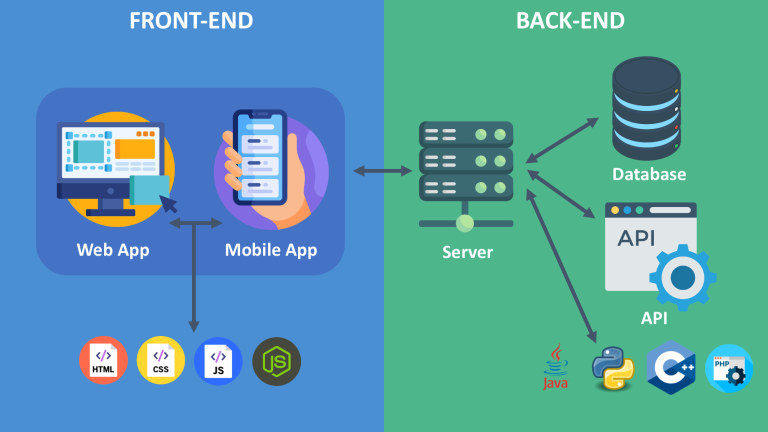
Your browser sends a request to the server asking:
“Please send me this website”
This is called an HTTP request.
Step 4: Server Response
The server receives the request and sends back:
- HTML
- CSS
- JavaScript
- Images
Step 5: Browser Displays the Page
Your browser reads the files and builds the website you see.
Simple Real-Life Analogy
Think of ordering food online:
- You place an order (browser request)
- Restaurant receives it (server)
- Chef prepares food (processing)
- Food is delivered (response)
Why This Matters
Understanding the internet helps you:
- Build better websites
- Fix errors
- Understand networking
Conclusion
The internet is just computers talking to each other using requests and responses.
About the Author